Let the Beat Drop: Drum Machines and MIDI for Guitarists
In this two-part series, She Shreds teams up with Reverb to guide you through purchasing, connecting, and troubleshooting a drum machine to add beats to your riffs.
Like many, I found my passion for music by playing with friends in bands throughout high school. Playing guitar with others and performing live unlocked that amazing feeling of connection that’s only really possible through musical collaboration. However, when I started making beats I did it with the intention of carving out a space for myself as an independent. I wanted to empower myself to enjoy making music on my own terms as much as I did collaboratively.
These days, with many bands on in-person practice hiatus and no jams in sight, it’s a great time to look inward and find that beat within. We all have it in us, and we’re lucky to live in an age when the tools for beat making are relatively accessible to many different skill levels and budgets.
Earlier this year, music gear marketplace Reverb reported that it had seen a significant increase in synthesizer, keyboard, and beat production equipment purchases—particularly among new buyers. In fact, compared to the same time period last year, searches for MIDI keyboards, drum machines, and MIDI controllers were up well over 100%.
Drum machines and MIDI controllers are a perfect place to start for any guitarist looking to get into beat making. When I record music, I use both MIDI-controlled drum pads and hardware drum machines. In this two-part series, you’ll find a run down of benefits of both formats, gear recommendations, a step-by-step process of setting up your drum machine, and a little exercise to help you make your first beat!
“Drum Machines are the perfect accompaniment instrument,” says Justin DeLay, Director of Product and Category Marketing at Reverb. “Whether you need a simple, almost metronomic beat for practice, or a solid groove to jam solo, a drum machine brings guitar practice to life.”
Table of Contents
Types of Drum Machines
You’re going to come across two main types of tools to create your beats: MIDI-controlled drum pads and standalone hardware drum machines. Both are great options and depending on what style of music you make and how you like to make it, one may be better suited for you than the other.


MIDI
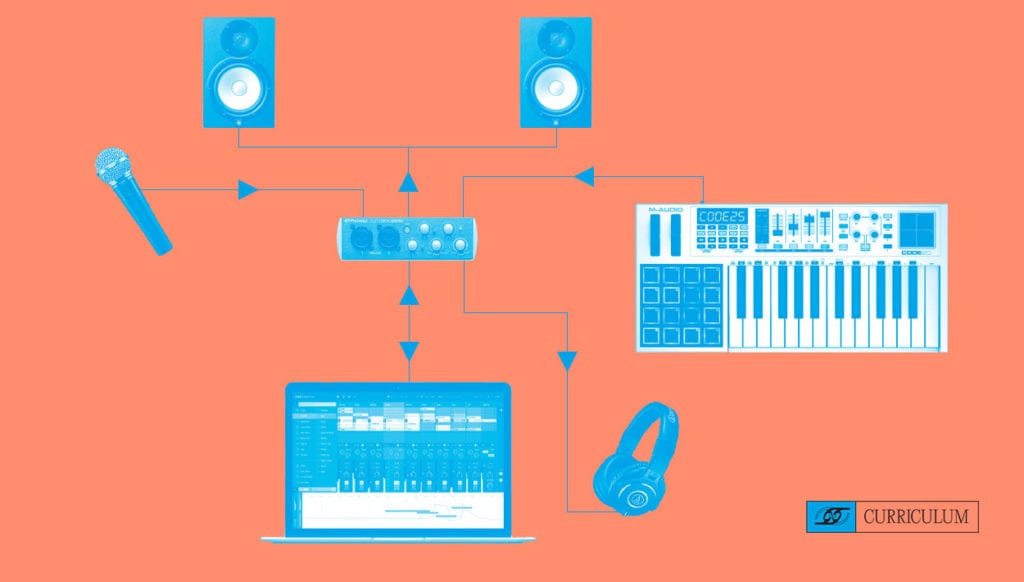
Musical Instrument Digital Interface, or MIDI, is what allows your computer to connect to other musical hardware like a drum pad or keyboard. So a MIDI-controlled drum pad is basically an instrument that triggers a signal to play a sound generated by your computer. For this reason, a MIDI controller is a great choice if you’re already using a DAW (like Logic Pro, Ableton Live, or GarageBand) which already has built-in sounds that can be played through a MIDI controller.
A huge benefit of using MIDI drums is that you can edit them after recording, so you have freedom to tweak the sounds as much as you like. If you mess up, it’s no big deal—just fix it in post! There’s also a million places to download super cool drum samples of all styles for free (Samples from Mars, LANDR, Cymatics) so you really have a lot of sounds at your fingertips even with limited gear.
Apart from the technical side, as a guitarist, you may find that the ability to play the pads with your fingers feels more musical than the workflow of a classic step sequencer style drum machine.
Some things to consider when purchasing a drum pad:
- Would you like a controller with only drum pads, or a keyboard as well?
- Would you like your pads to have velocity sensitivity (whether or not the pad can sense how hard you press)?
- Do you need extra features like color-coded drum pads, a built-in screen, step sequencer, or other onboard controls?
- Advanced users may want DAW-specific MIDI controllers designed to fully integrate with their music making software.
Buyer’s Guide: MIDI Drum Pads
Skill Level: Beginner to Intermediate
Skill Level: Intermediate to Advanced
Hardware Drum Machines
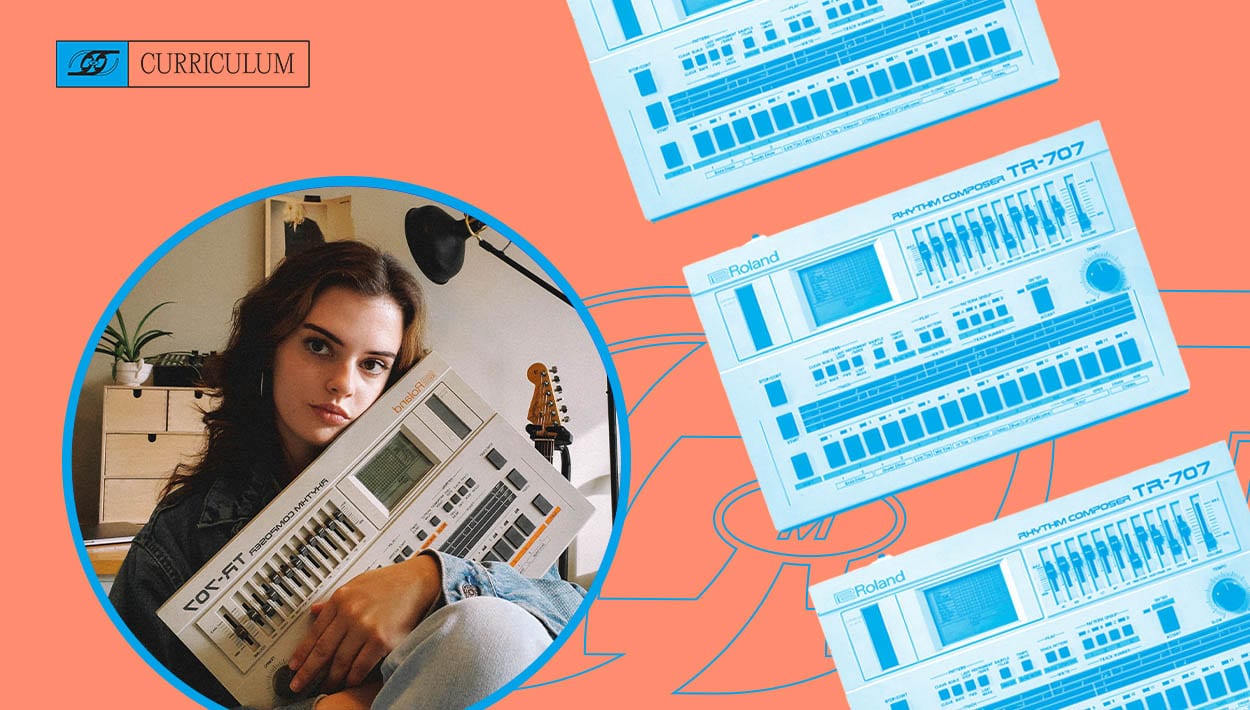
Unlike MIDI drum pads, hardware drum machines generate sound on their own, so their most obvious benefit is that there is no need for a computer. With a drum machine you immediately have all the sounds, knobs, and buttons right in front of you. I personally love the tactile feeling of turning a knob—it’s just super satisfying!
Most drum machines come set up with many different presets to play with. For a beginner this can be a great way to learn what your machine is capable of, and it’s also convenient for someone who just needs a groovebox for practicing. That being said, many drum machines are anything but simple. It really depends on which product you choose and how much you want to dig in. If you want to get a little weird, try sending your drum machine through your guitar effects chain!


Some things to consider when purchasing a drum machine:
- Genre of music you’re playing: What style of sounds can your drum machine generate? Do you have the ability to import your own samples?
- Do you want to program drum beats with a sequencer or do you want to play them live with trigger pads?
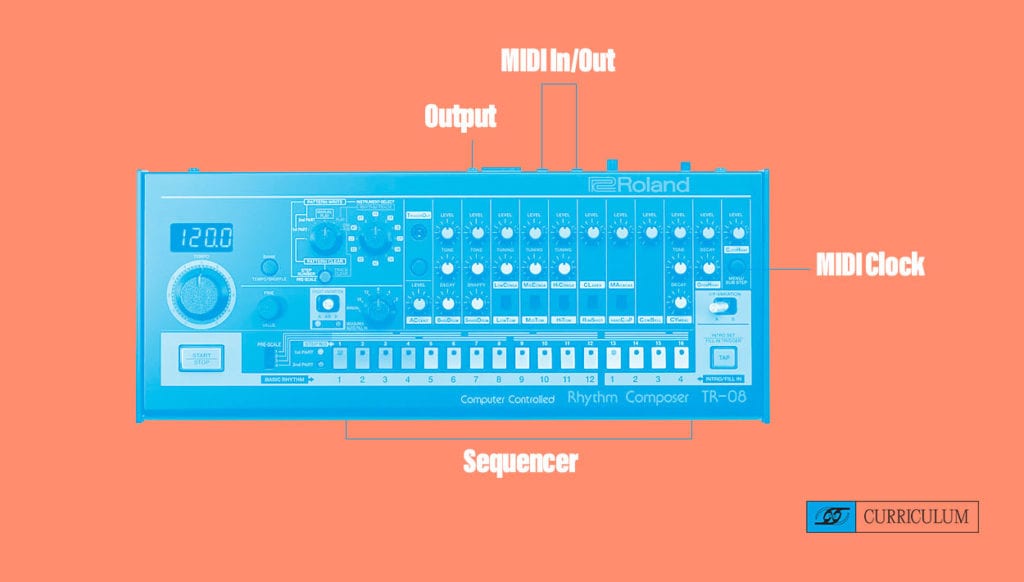
- Do you want a drum machine with MIDI connectivity? Can you sync your machine with other hardware or your DAW’s MIDI clock? Do you want a drum machine with it’s own MIDI clock?
- Number of outputs: Do you want individual outputs for each drum sound or is a single output sufficient for your needs?
“Overall, I would start with an affordable, introductory model,” says Justin DeLay of Reverb. “When starting out with drum machines, a good price range to target is the $100 to $300 range. And as always, I’d be remiss not suggest buying used! That said, where you might want to invest a little bit more in your machine’s capabilities will depend on the type of music you want to play. If you’re looking to play more of an indie pop sound, you might want to invest a little bit more to have a deeper sample library. If you’re more interested in an EDM sound, you might want to look into models that allow for more true synthesis and programming.”
Buyer’s Guide: Hardware Drum Machines
Skill Level: Beginner to Intermediate
“This [Arturia DrumBrute Analog Drum Machine and Sequencer] user-friendly drum machine includes USB, MIDI, and CV connectivity, allowing you to integrate it with any music gear and making it a solid pick for beginners to intermediate users who want a drum machine that can grow with them as they expand their setup,” says Abby Santourian, a Chicago-based musician and synth specialist on the Reverb team.
Skill Level: Intermediate to Advanced
“If you’re looking to take a more active role in creating your beats and plan to play with your fingers (as opposed to setting the patterns and leave the machine alone), check out the Akai MPC series (Used MPC500, MPC Live upgrade),” says Justin DeLay at Reverb.
Now that you have all the information to decide which type of drum machine is right for you, as well as a few recommendations for both MIDI and hardware drum machines, you’re well on your way to creating the beats of your dreams. Stay tuned for the second part of this series where I’ll go over connecting, troubleshooting, and creating your first beat!
About the Author
Charlotte Friesen is a guitarist hailing from sunny and snowy Winnipeg, Canada. After touring nationally and recording with artists of a wide range of genres from goth to indie pop, she has turned her talents to music production and theatre sound design. You can follow her beatmaking endeavours on instagram @charlottejfriesen.


You May Also Like
No related posts
No related posts
More posts
-
By: She Shreds
-
By: Leila Sidi
-
By: Leila Sidi
-
By: Kinseli Baricuatro
-
By: Kinseli Baricuatro
-
By: Charlotte Friesen
-
By: Glenn Van Dyke
-
By: Jess Garland
-
By: Jess Garland
-
By: Glenn Van Dyke


Comments
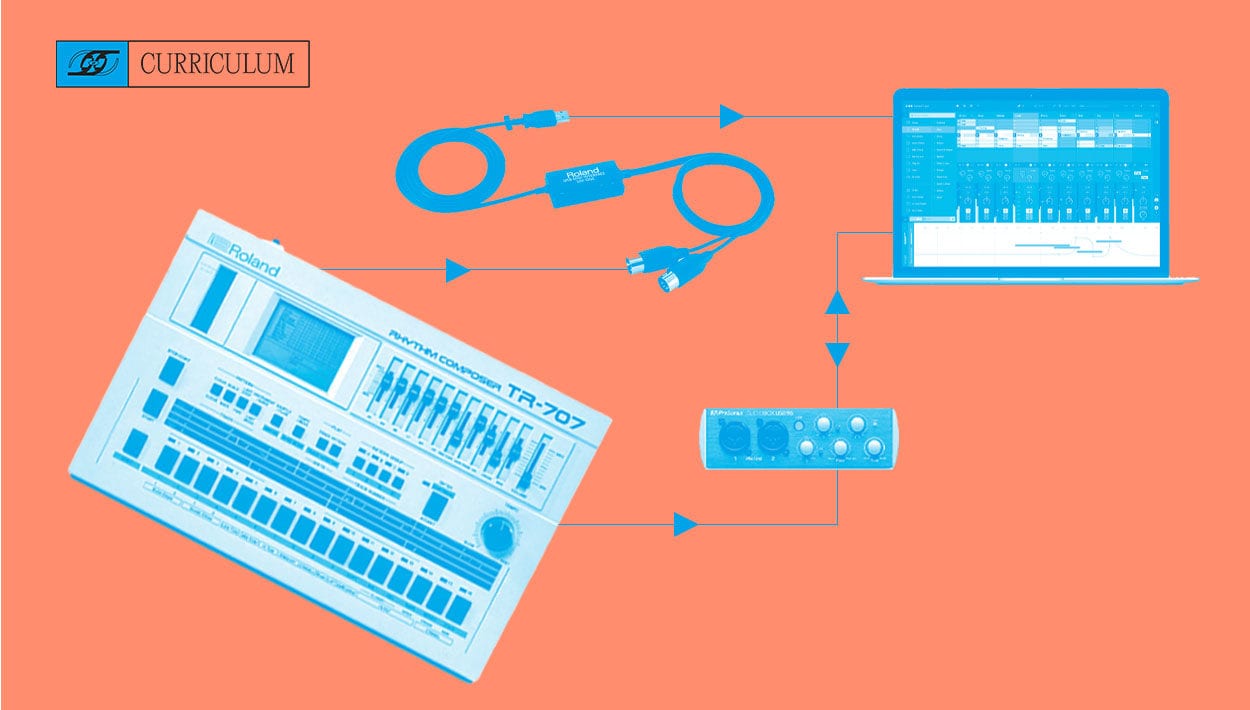
[…] In my previous article, we learned the difference between MIDI controlled drum pads and classic hardware drum machines. You were given the tools to choose a piece of gear that fits your style and workflow. Now it’s time to get into the nitty gritty of connecting and beginning to create! I’ll run you through the general steps to connect and sync your MIDI or hardware drum machine, some troubleshooting, and a simple beat making exercise. […]
Pingback by She Shreds Media on October 23, 2020 at 12:00 pmHello its cool article, love your works!
Comment by George Rice on January 8, 2021 at 7:28 pmthe article, and more importantly, your personal experienceMindfully using our emotions as data about our inner state and kno https://vidmate.onl/download/ wing when it’s better to de-escalate by taking a time out are great tools. Appreciate you reading and sharing your story, since I can certainly relate and I think others can too
Comment by emmasmitsdmith on February 20, 2021 at 10:16 pmI just wanted to thank you for bringing up this story. The contributions of these women cannot be overstated, but as is often the case in One Man’s World, they are often underrated. Once again, I would like to thank you for bringing this information to the public as up until now I know almost nothing about most of these Women. I know Sister Rosetta Tharpe because, like many of us, I watched the famous video of her approaching the Storage in a horse-drawn carriage and then getting off, playing her Soul cards to a friend. small group of young people passionate about WHITE music. All the others I know nothing about, Thank you for opening my eyes and ears, to the realities of the origins of Rock and Roll and Blues. An excellent article full of humanity.
Comment by Klondike solitaire on July 17, 2022 at 7:42 pmReally nice drum machines! I used it at university when I was in the music department and was very pleased with the really cool thing that helped me with pick the writer and progress in music. I advise everyone you will not regret it!
Comment by Robert Brown on October 4, 2022 at 7:39 amYou have been provided with the resources to choose a piece of equipment that is suitable for your working method and aesthetic preferences. Now is the moment to get down to the nitty-gritty of interacting with people and starting to make things!
Comment by snow rider 3d on February 14, 2023 at 12:18 amIf you work in the media and entertainment industries, consider exploring the web development services offered by Solar Digital. They specialize in providing digital solutions that can help media and entertainment companies thrive in today’s digital environment. To learn more about their services, visit the Solar Digital website. I hope this will help you refine your digital strategy. Have a nice day!
Comment by BrusNeam on June 4, 2023 at 6:25 pmHmm, can anyone tell me in more detail about how you can start watching Disney Plus outside the United States? I will be glad if someone can share useful information on this issue!
Comment by AdamRock on June 15, 2023 at 8:48 amIf you are interested in accessing Disney Plus outside the USA, in the blog article https://clearvpn.com/blog/how-to-watch-disney-plus-outside-us/ recommendations are given on how to achieve this. It contains step-by-step instructions and tips for watching Disney Plus from anywhere. This can be a useful resource for those who want to enjoy Disney Plus content from different locations. I hope this information will be useful for you.
Comment by BillyJonson on June 15, 2023 at 8:17 pmHas anyone worked with machine learning solutions? I am considering introducing machine learning solutions for insurance companies into my insurance business and would like to hear about your experience. It looks like they specialize in developing machine learning models for insurance applications. We will be grateful for any information!
Comment by EdvardCalen on June 21, 2023 at 8:09 am